









Upgrade to Pro
View Pricing Unlock unlimited sessions, comparisons, Docker support, and AI features.
How to Upgrade
Seção intitulada “How to Upgrade”Step 1: Open License Settings
Seção intitulada “Step 1: Open License Settings”IntelliJ IDEA:
- Open the Settings panel
- Find and click the GalataJ Profiler in the settings panel
- Go to License section
VS Code / Cursor:
- Open Command Palette (Ctrl+Shift+P)
- Type “GalataJ: Show Settings” and press Enter
- Find License section
Step 2: Purchase License
Seção intitulada “Step 2: Purchase License”Click “Get Pro License” — this opens the purchase page.
Complete the checkout and you’ll receive a license key via email.
Step 3: Activate
Seção intitulada “Step 3: Activate”- Copy your license key from the email
- Paste it in the License Key field
- Click Activate
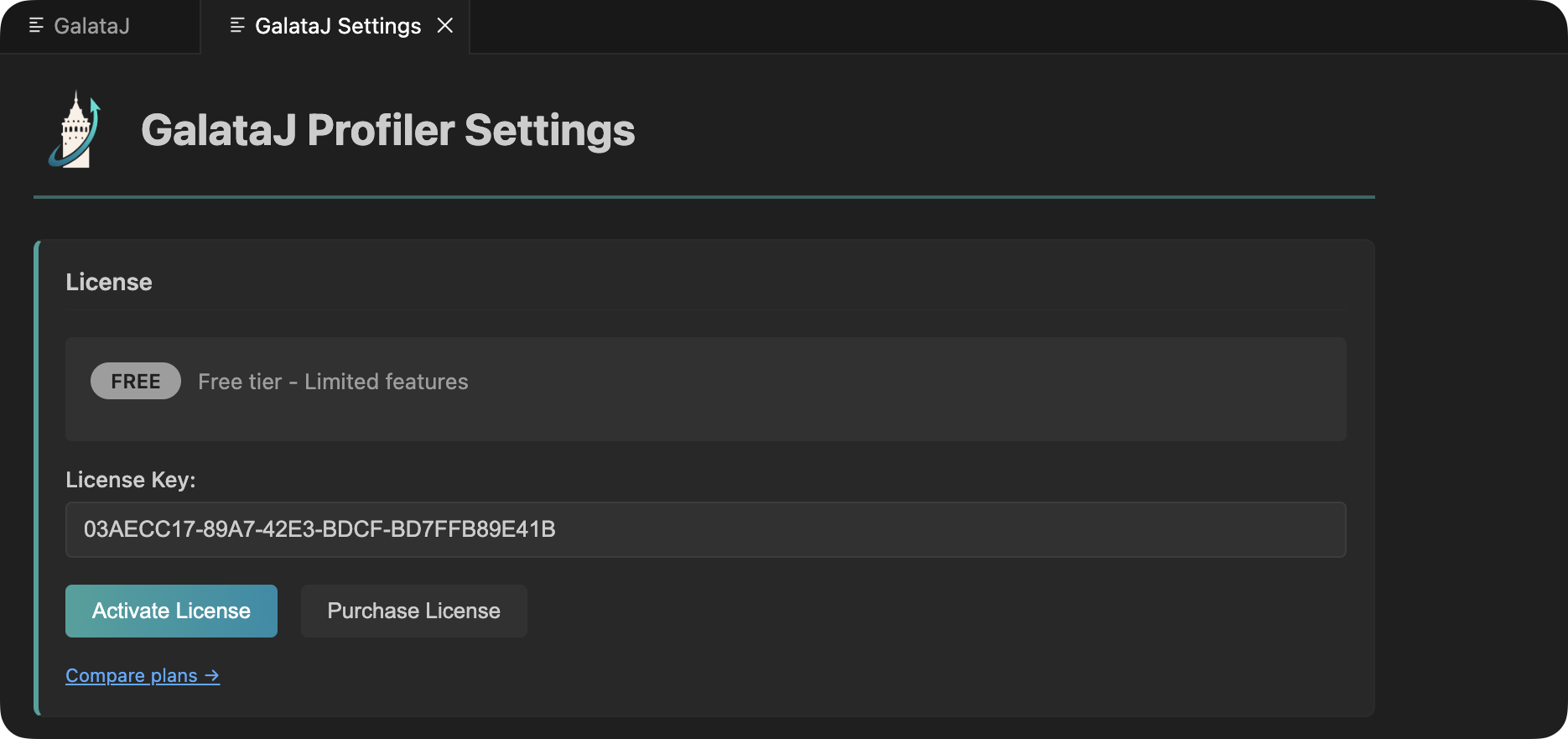
Done! Pro features are now available.
What Unlocks with Pro
Seção intitulada “What Unlocks with Pro”Unlimited Sessions
Save as many profiling sessions as you want. No daily limits.
Session Comparison
Compare any two sessions side-by-side. See exactly what changed.
Baseline Tracking
Set a session as baseline and compare live performance against it.
Export Data
Export sessions as JSON, CSV, or HTML for reports and analysis.
Docker Profiling
Profile Java apps running in Docker containers with auto-discovery.
AI Context Files
Auto-generated live-performance.md and baseline-compare.md for AI analysis.
Custom Prompts
Save your most used AI prompts for quick access and reuse.
Unlimited Methods
No limit on tracked methods. Profile your entire application.
After Upgrading
Seção intitulada “After Upgrading”Once activated, you’ll notice:
In the Profiler Panel
Seção intitulada “In the Profiler Panel”- Save Session — No more daily limit
- Compare button — Compare any two sessions
- Set Baseline — Mark sessions as your reference point
- Export — Download session data
In Your Project
Seção intitulada “In Your Project”A .galataj/ folder appears with:
live-performance.md— Real-time metrics for AI assistantsbaseline-live-compare.md— Comparison data when baseline is set
For Docker Users
Seção intitulada “For Docker Users”Docker containers now appear in the JVM list automatically.
Verify Your License
Seção intitulada “Verify Your License”Check your license status anytime:
IntelliJ: Settings → GalataJ Profiler → License
VS Code: Command Palette (Ctrl+Shift+P) → “GalataJ: Show Settings” → License
You’ll see:
- License: Pro
- Status: Active
Can I use it on multiple machines?
Seção intitulada “Can I use it on multiple machines?”No, your license works only one machine for personal use.
What if I reinstall my IDE?
Seção intitulada “What if I reinstall my IDE?”Just enter your license key again. It stays valid. If you still have issues, try a Hard Reinstall.
Where’s my license key?
Seção intitulada “Where’s my license key?”Check your email from the purchase. Contact [email protected] if you can’t find it.