









AI Integration
Pro Feature
AI context files require a Pro license.
Use AI assistants to analyze your performance data and get optimization suggestions.
How It Works
Section titled “How It Works”GalataJ automatically creates context files that AI assistants can read:
your-project/├── .galataj/│ ├── live-performance.md ← Current profiling data│ └── baseline-live-compare.md ← Comparison with baselinePoint your AI assistant to these files and ask performance questions.
Live Performance File
Section titled “Live Performance File”live-performance.md contains real-time profiling data formatted for AI:
- Top methods by CPU time
- Call counts and allocations
- JVM runtime summary
- Context detection results
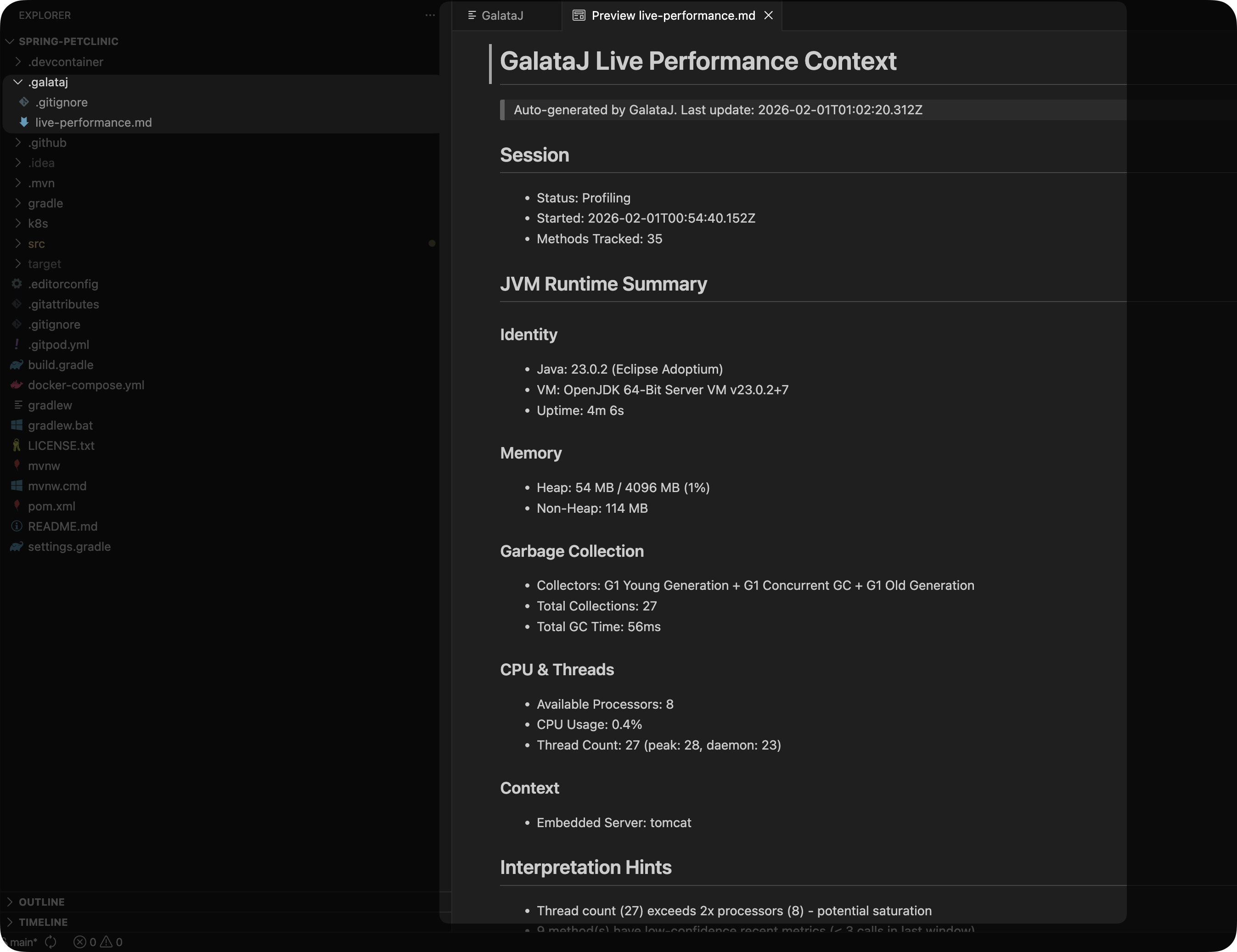
Updates automatically while profiling is active.
Baseline Comparison File
Section titled “Baseline Comparison File”baseline-live-compare.md shows how current performance compares to your baseline:
- Methods that got slower (regressions)
- Methods that got faster (improvements)
- Summary statistics
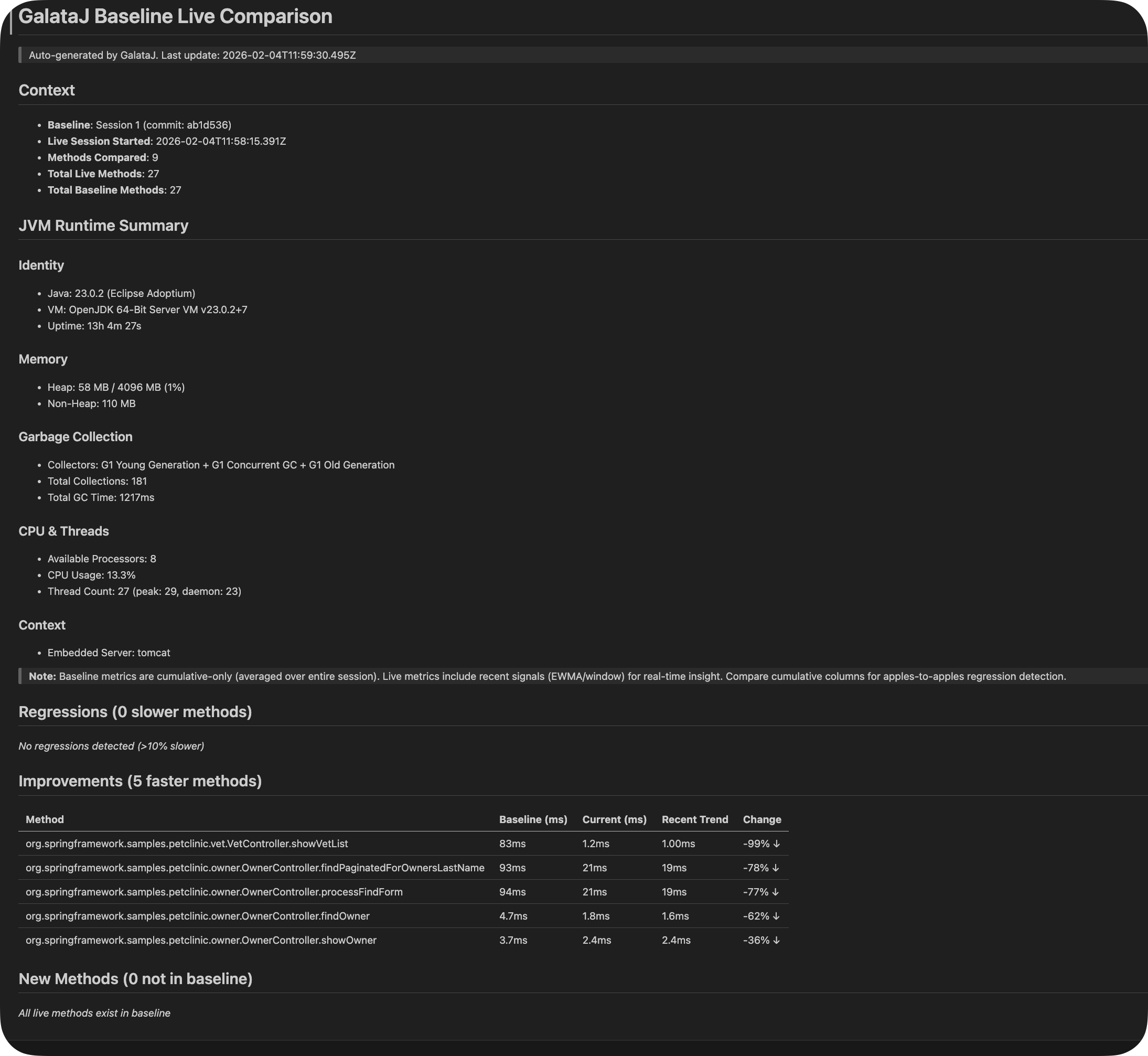
Updates automatically while profiling is active.
Using with AI Assistants
Section titled “Using with AI Assistants”Cursor / Windsurf
Section titled “Cursor / Windsurf”Reference the file directly:
- “Read @.galataj/live-performance.md and suggest optimizations for the slowest methods”
- “Read the ‘@.galataj/baseline-live-compare.md’ file and see how performance changes after the latest application.”
ChatGPT / Claude
Section titled “ChatGPT / Claude”- Copy the content from
.galataj/live-performance.md - Paste into the chat
- Ask your question
Example:
“Here’s my profiling data. Why is OrderService.findAll so slow?”
GitHub Copilot
Section titled “GitHub Copilot”“@.galataj/live-performance.md analyze the top 5 slowest methods”
Built-in Prompts
Section titled “Built-in Prompts”GalataJ includes ready-made prompts optimized for performance analysis.
Accessing Prompts
Section titled “Accessing Prompts”IntelliJ: Profiler panel → Ask AI dropdown
VS Code: GalataJ panel → Ask AI dropdown
Available Prompts
Section titled “Available Prompts”Analyze Regressions
Find performance issues and bottlenecks
Suggest Optimizations
Get specific code-level fixes
Memory Analysis
Identify allocation issues and GC pressure
IO vs CPU
Determine if methods are IO-bound or CPU-bound
Custom Prompts
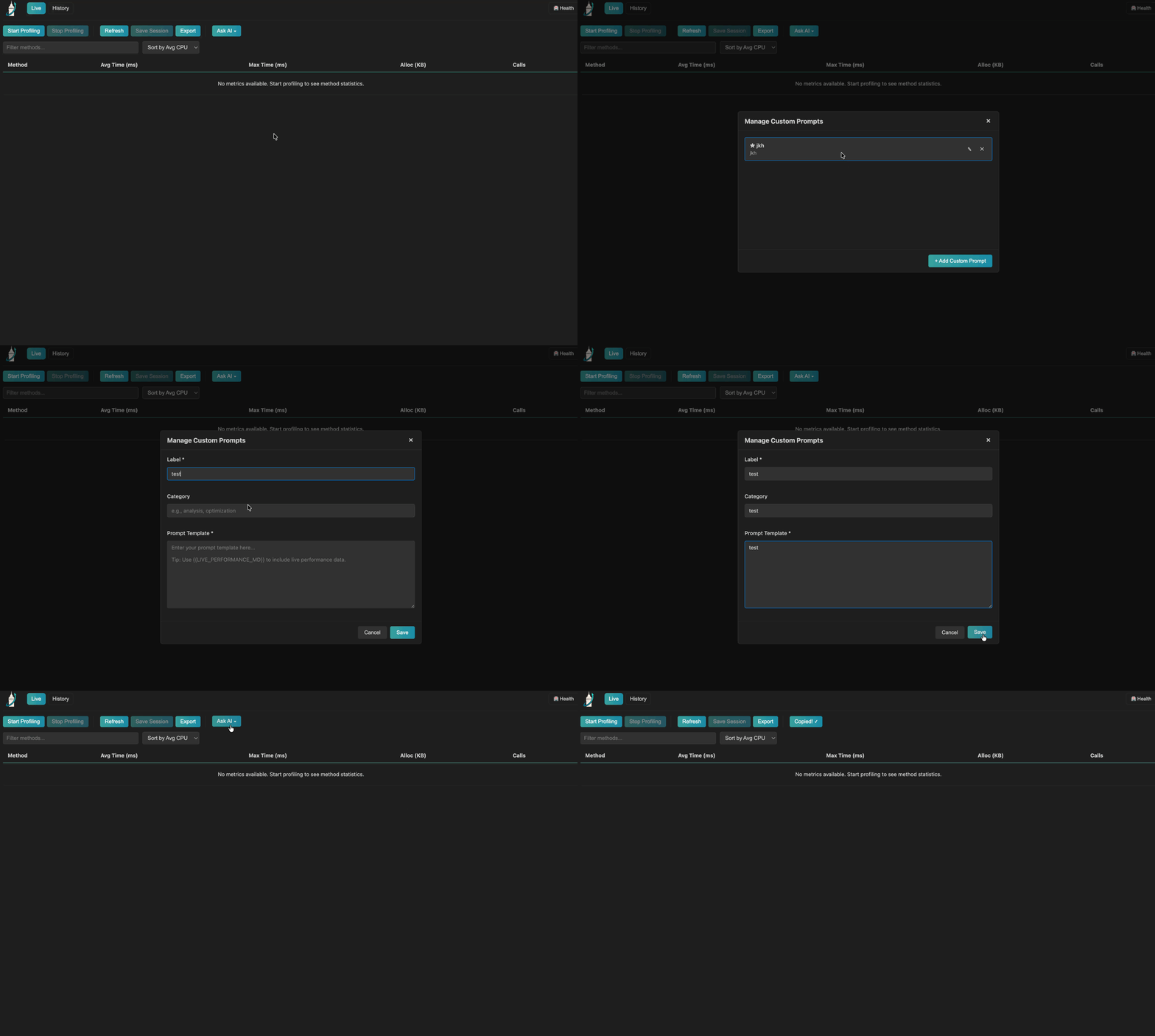
Section titled “Custom Prompts”Want your own prompts? You can add custom prompts that appear alongside the built-in ones.
Adding a Custom Prompt
Section titled “Adding a Custom Prompt”IntelliJ: Profiler panel → Ask AI → Manage Custom Prompts
VS Code: GalataJ panel → Ask AI → Manage Custom Prompts
Add to Chat
Section titled “Add to Chat”Hover any method in the profiler panel → Add to Chat
This copies the method’s metrics directly to your AI conversation.
Tips for Better Results
Section titled “Tips for Better Results”Be Specific
Instead of “Why is my app slow?” ask “Why is UserService.findAll taking 200ms when baseline was 20ms?”
Include Context
Mention your tech stack: “This is a Spring Boot 3 app with PostgreSQL”
Verify Suggestions
AI suggestions are starting points. Always profile again after making changes.
Next Steps
Section titled “Next Steps”- Session History — Save sessions for AI analysis
- Understanding Metrics — Know what to ask about